An under-desk cable tray you can still reach
An under-desk cable tray you can still reach: compare clamp-on and screw-mounted trays and leave room to unplug your gear.
Paid link. We may earn a commission if you buy through this link.
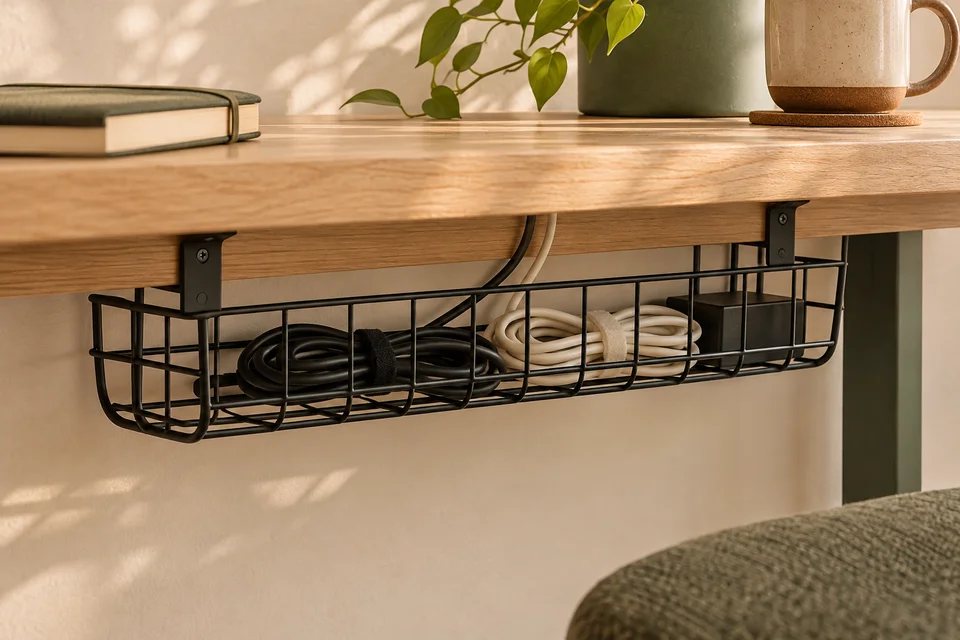
View the Mzmaxy under-desk cable organizer on AmazonBefore you shop, unplug and lay out the cords and adapters you plan to organize. Measure the longest object that will sit in the tray and the deepest plug once inserted. Many trays can hold a bare power strip, but the strip needs extra clearance once the adapters are fitted.
Find an accessible mounting point
Sit at the desk and reach under the back edge with the chair in its normal position. The best spot is one you can reach without moving furniture just to free a cable. Also check how far the front edge of the tray will project toward your knees, particularly if the table is shallow.
For a clamp-on tray, measure the desktop from top to bottom and the depth of the unobstructed underside. A metal brace can be closer to the edge than it appears. Inspect the shape of the desk edge as well. A bracket that expects a flat contact patch can be awkward on a steep bevel.
A screw-mounted tray frees the visible edge and can sit further in, if the desk material and thickness are suitable for the fasteners specified by the manufacturer. A desk with a thin or hollow top deserves a mounting option designed for that surface. Compare installation drawings before buying.
Plan for adapters and cable exits
Look at the clear dimensions inside the basket. Side walls and clamp hardware can reduce usable space. A partly open wire basket lets a connector enter from the side and makes it easier to swap one accessory. A more enclosed tray hides the cords from view, but check its openings before assuming a wide plug will pass through.
Route the cords in your head from device to tray and from tray to outlet. Leave enough length to unplug and move the devices you pick up regularly. Keep any adapter in a position that follows the maker’s instructions for spacing and ventilation. If you have a sit-stand desk, verify each cable reaches at both ends of the desk’s travel without pulling tight.
Keep daily-use cords near the front
Start with the power strip and adapters you rarely move. Keep the charger or docking cable you unplug every day easier to reach. Reusable cable ties can hold groups of cords without making it hard to remove one later. A label near the plug helps when two adapters look alike.
Make a mock-up before ordering
Fold a piece of cardboard to the depth and height of the tray and hold it under the proposed mounting spot. Check knee clearance, desk-frame clearance, and how easily your hand reaches into it. Pick the simpler mount that suits your desk and gives you access to the plugs you change.
For the rest of a small-desk setup, see choosing a lamp for a small desk and a laptop stand for a small desk.